Web Checkups WordPress Plugin
WordPress Monitoring Plugin - Setup in 2 Clicks, No API Keys Needed Monitor From Your WordPress Dashboard - No External Tools Required Get Instant Alerts When Your WordPress Site Goes Down Detect Issues Before Your Visitors Do Track Uptime, SSL Expiry & Domain Renewal - Never Miss Critical Deadlines Beautiful Uptime Charts & Reports Built Into Your WordPress Dashboard External Monitoring (Not Just Self-Checks) - Real User Perspective Monitor Your WordPress Site + External APIs & Servers - All From Dashboard Historical Performance Data - Prove Your Uptime to Clients Sleep Better - Your Website Is Monitored Set It Once, Get Alerts Forever - Zero Maintenance Required
Stay informed about the health and performance of your websites and online services. We provide 24/7 monitoring for multiple sites and web services, so you can identify issues before your users do
What our plugin does
Ensure your websites and online services are always running smoothly with our powerful monitoring plugin for WordPress. Whether you’re managing one website or a complex infrastructure of web services, we provide real-time insights to keep everything under control. Start monitoring today with our easy-to-use WordPress plugin or directly through our secure platform. You can get started with our forever-free plan or upgrade to affordable packages as your needs grow.
What you can monitor
- Websites, APIs, and services using any HTTP method (GET, POST, PUT, PATCH, DELETE, etc.)
- Mail servers
- FTP servers
- DNS servers
- DNS Integrity – Continuous monitoring of DNS records to detect unauthorized changes or hijacking attempts
- Other services reachable via PING, TCP or UDP ports
What we check
- DNS resolution and response codes
- DNS record integrity and change detection (A, AAAA, MX, NS, SOA, DNSSEC, TTL)
- Service uptime and availability
- Page content validation
- SSL certificates and encryption protocols
- Domain registration and expiration
- Malware and harmful content (Google Web Risk integration)
- Mail server blacklist status (checked across 50+ lists)
- Open ports on mail servers
- Performance metrics
- TCP or UDP Port connectivity
- Access credential verification
How you stay informed
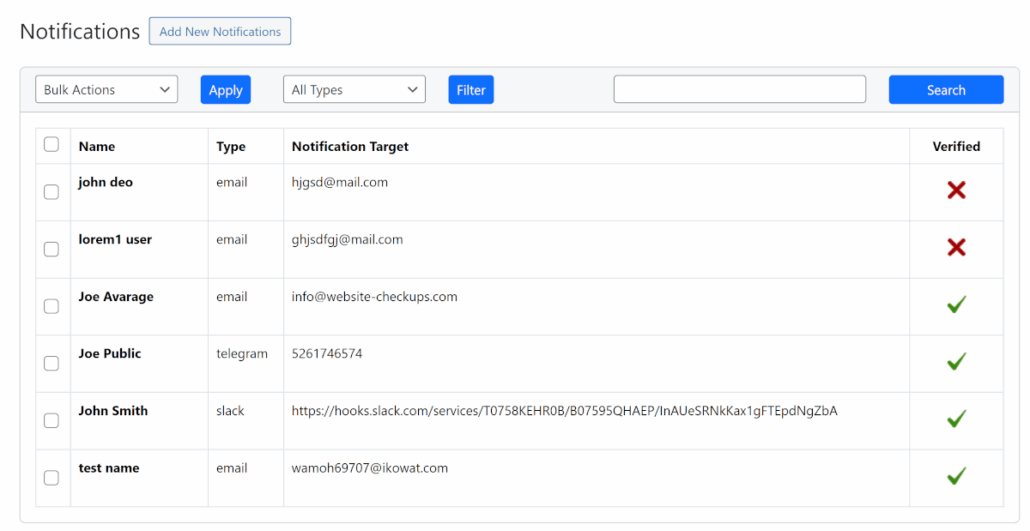
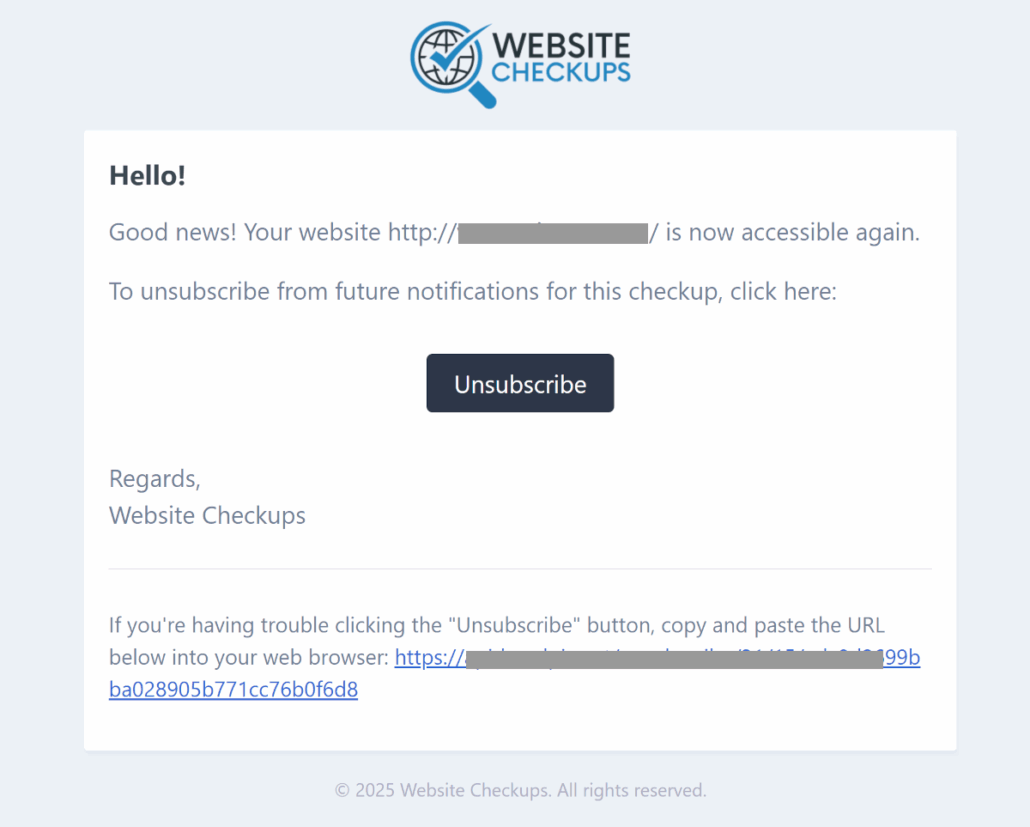
Get notified the moment something goes wrong—and when it gets resolved. Assign individual recipients to each checkup. Recipients must confirm once and can unsubscribe anytime.
Current notification channels:
- Microsoft Teams
- Telegram
- Slack
- Google Chat
- SMS (with more coming soon)
This plugin provides
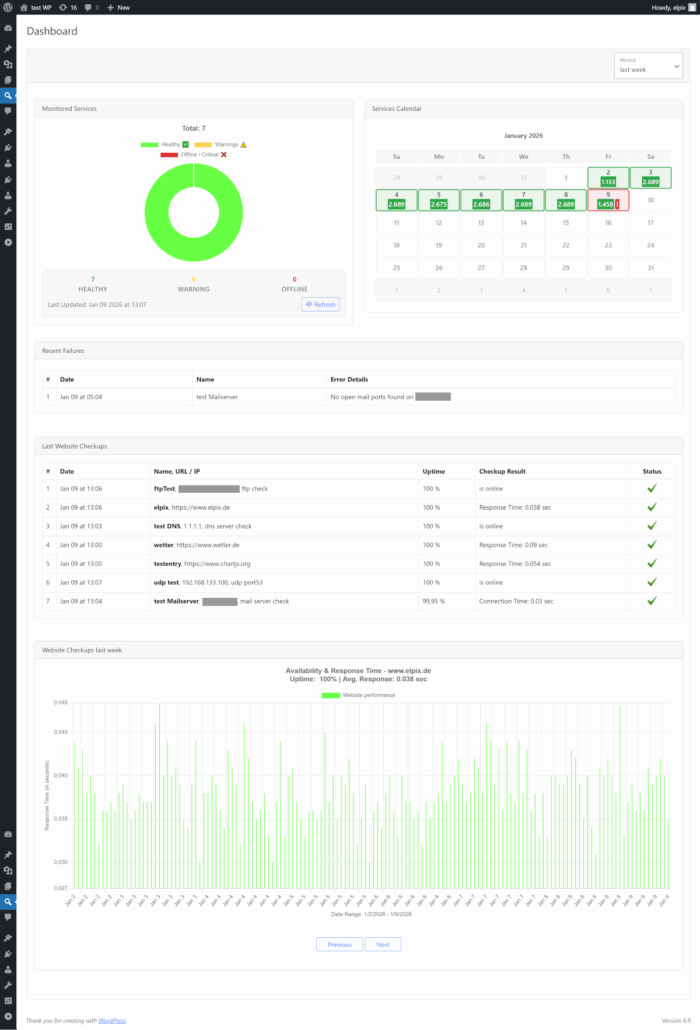
- Manage checkups, view reports, and set notifications directly from WordPress
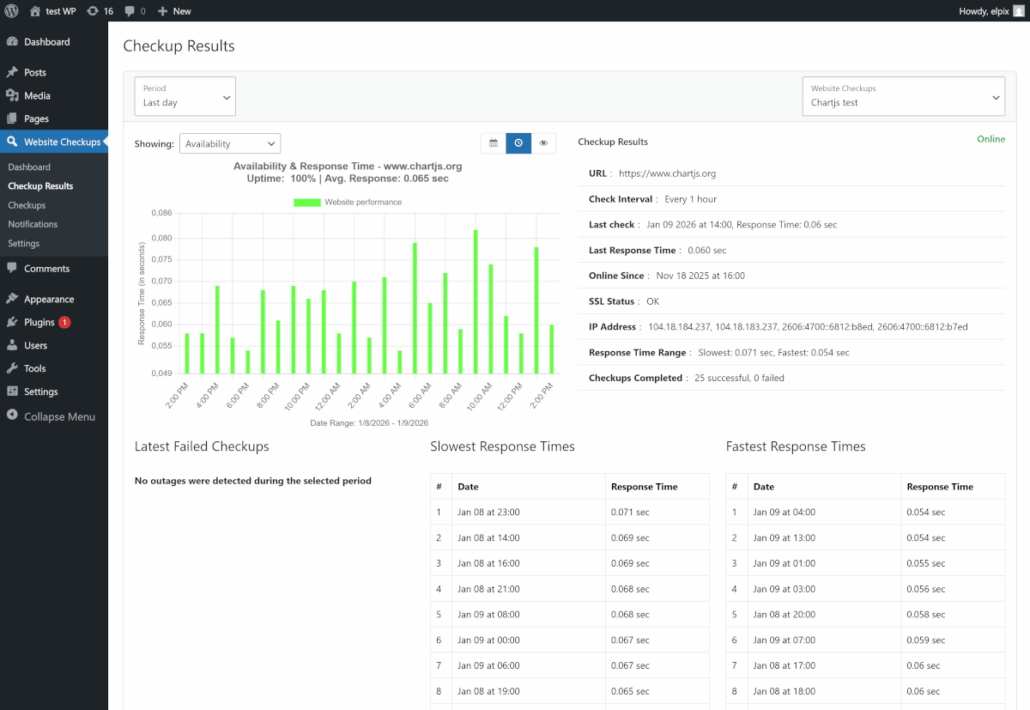
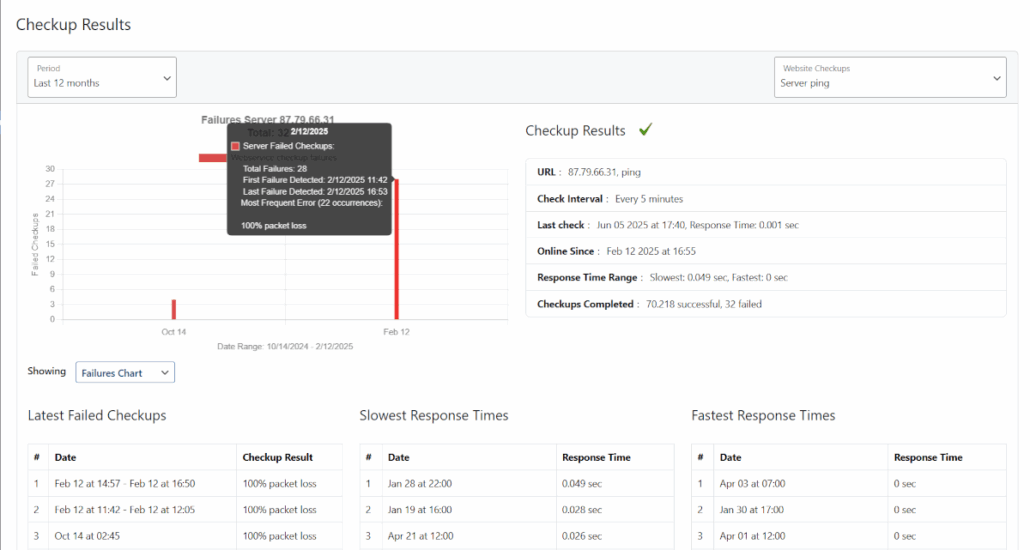
- Visualize availability and performance trends with clear, detailed charts
- Access historical data and reports anytime
Pricing and subscriptions
Use the permanently free plan for as long as you like. It includes nearly all core features. For higher-frequency monitoring, more notifications, or additional services, upgrade to a paid plan.
Data privacy and usage
All checkups, statistics, and notifications are managed securely through our SaaS platform. Any data you provide (like URLs or server details) is used solely for monitoring, reporting, and account management.
We NEVER:
- Sell or share your data with unrelated third parties
- Use your data for marketing, advertising, or newsletters
You control your data at all times. Uninstalling the plugin deletes your data from our servers. Invoicing data for paid plans is stored only as long as legally required. For full details, please see our Terms of Service and Privacy Policy.
Requirements
- PHP: 7.4 or higher
- WordPress: 5.6 or higher
- Tested up to: WordPress 7.0
Free forever plan included – no credit card required

Available in WordPress Plugin Directory
Tested with WordPress 7.0 | 1.2.2 | GPL-2.0
Installation
Automatic Installation (Recommended)
1. Log in to your WordPress admin dashboard
2. Navigate to Plugins > Add New
3. Search for “Website Checkups”
4. Click Install Now and then Activate
5. Navigate to Website Checkups in the sidebar
6. Complete the free registration to start monitoring
Manual Installation
1. Download the plugin ZIP file
2. Go to Plugins > Add New > Upload Plugin
3. Choose the downloaded file and click Install Now
4. Activate the plugin
5. Navigate to Website Checkups in the sidebar
6. Complete the free registration to start monitoring
After Installation
- No additional configuration required – just register and start adding checkups
- Your first checkup can be created in under 2 minutes
- All features available immediately with the free plan
Changelog
A concise summary of new features, enhancements, and fixes in each release.
Version 1.2.2
- Added DNS Integrity monitoring – detects changes in DNS records including A, AAAA, MX, NS, SOA, TTL, DNSSEC, TLS fingerprint, GeoIP, ASN, with full change history
- Improved checkup details view with dynamic row rendering and tooltip support for long values
- Various minor bug fixes and improvements
Version 1.2.1
- Added Support Tickets page with create, view, reply, and file attachment functionality
- Fixed minor bugs and improved form validation
Version 1.2.0
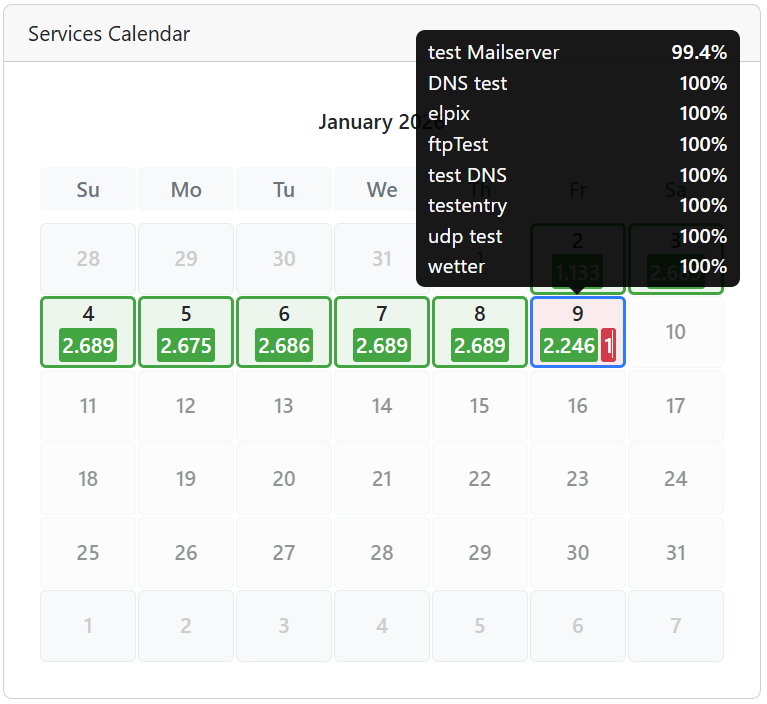
- Added calendar view as chart type option on Checkup Results page with interactive tooltips showing uptime percentage and response time statistics
- Added granularity controls (Daily/Hourly/Realtime) for availability charts with persistent selection across page reloads
- Added click-to-navigate functionality for dashboard statistics and results tables to quickly jump to detailed checkup views
- Added color-coded status headers with performance indicators for better at-a-glance insights
- Added persistent user preferences for dropdown selections (localStorage)
- Improved table rendering performance with optimized DOM manipulation
- Improved multi-tier caching strategy with dynamic TTL support based on API responses and request deduplication
- Improved responsive layouts for dashboard and Checkup Results pages with adaptive breakpoints
- Improved responsive table layouts (Latest Failed Checkups, Slowest/Fastest Response Times)
- Improved chart doughnut size for better visual balance with calendar view
- Improved Bootstrap tooltip integration with proper HTML content support
- Changed JavaScript files split into modular components (admin.js, calendar.js, statistics.js, charts.js, api.js, ui-helpers.js) for better maintainability
- Changed all code documentation and comments translated to English for international standards compliance
- Changed period/timespan dropdowns redesigned with floating labels for consistent user experience
- Various minor optimizations, refactoring improvements, and bug fixes
Version 1.1.9
- Fixed: Plugin assets (CSS, JS, and images) not loading after installation – moved files to proper assets directory
- Updated Bootstrap, Slick, and Chart.js to the latest stable versions
Version 1.1.8
- Added “webhook” as a new notification type
- Fixed minor display issues
Version 1.1.7
- Improved wording across headlines, reports, charts, and status messages
- Added support for additional authentication types: Bearer, Digest, and NTLM
- Redesigned checkup detail view and dashboard layout
- Introduced new doughnut-style charts for visual summaries
- Various minor bug fixes and overall performance enhancements
Version 1.1.6
- Optional fields on the registration page are now hidden by default
- Support added for resending notification verification requests
- Minor bug fixes and general improvements
Version 1.1.5
- Monitoring added for Mail, FTP, and DNS servers
- Integrated regular Google Web Risk checks for websites
- Updated chart visualizations for better readability
- General usability enhancements
Version 1.1.4
- Flexible usage options introduced for checkups; switch between them at any time
- Scripts cleanup for improved performance
Version 1.1.3
- FAQ section added to the readme
- Minor bug fixes
- Banner images added for improved UI
Version 1.1.2
- Plugin updated to meet WordPress publishing requirements
- Optimized for faster page load times
Version 1.1.1
- Simplified registration process
- Checkup results page redesigned
- Resolved several JavaScript errors
Version 1.1.0
- Major improvements to user interface and usability
- Revised graphics with added hourly and daily summaries
- Additional input fields for checkups
- TCP and UDP port checks implemented
- Ping test support added
- Checkup form split into basic and advanced sections
- Invoice payment via QR code and direct links enabled
Version 1.0.1
- Initial release of our WordPress plugin
Upgrade Notice
To upgrade this plugin, please remove the old version and replace it with the new version.
Screenshots